Install dbu6
Install with your coding agent
Section titled “Install with your coding agent”If you use Claude Code, Codex or Pi, open it in your home folder (or any folder other than the one you want the books in) and paste this prompt:
Install dbu6, the open-source personal finance app, on this computer.Follow the instructions at https://dbu6.com/docs/install.md
- Put my books in ~/my-books.- Check which prerequisites are missing, and ask me before you install any.- Start the app, and tell me the address to open in my browser.
The agent reads the installation steps on the rest of this page and runs the commands in them (these steps are written for the agent and for anyone who wants to run the commands by hand). When the agent is done, open the address it gives you (usually http://localhost:2345) and sign up. The account you create is stored in your books folder only.
Prerequisites
Section titled “Prerequisites”dbu6 runs on macOS and Linux.
| Tool | Needed for | Check with |
|---|---|---|
| Node.js 22.18 or newer, with npm | dbu6 itself | node --version |
| uv | Reading statements (the statement parsers are Python) | uv --version |
| pdftotext, part of poppler | Reading PDF statements | pdftotext -v |
| A coding agent | Doing your books from your statements | Settings › Coding agent, once dbu6 runs |
| git (optional) | A first commit of your books folder | git --version |
dbu6 works with Claude Code, Codex and Pi when they are installed and logged in on the same computer. The agent does the bookkeeping in Set up your books with your coding agent and every month after. Without an agent, the step-by-step screens can still import statements in the layouts dbu6 already reads, and your own rules categorize transactions (Doing it by hand).
To install the prerequisites:
# macOS, with Homebrewbrew install node uv poppler
# Debian and Ubuntusudo apt install poppler-utilscurl -LsSf https://astral.sh/uv/install.sh | sh# Node 22.18 or newer: https://nodejs.org/en/download, nvm or NodeSource.# The nodejs package in most distributions is older than that.
Create the books folder
Section titled “Create the books folder”npm init @dbu6 ~/my-bookscd ~/my-booksThe folder must not exist yet, or must be empty. npm init @dbu6 runs
dbu6 init from the latest release of dbu6 (the @dbu6/app package). To
use a particular version, run npm init @dbu6@1.2.3 instead.
init writes only inside the new folder:
node_modules/gets dbu6 itself, the npm package@dbu6/app. The package puts thedbu6andsapportacommands innode_modules/.bin, andnpx dbu6andnpx sapportarun them from there..env.developmentgets the settings everydbu6command reads, with a generated secret.user-config/gets starter files.data/gets a new database.- If git is installed,
initalso makes the first commit.
Your books describes each file.
Then check the folder:
npx dbu6 checkThis command reports any missing prerequisite.
Install the Sapporta skill
Section titled “Install the Sapporta skill”dbu6 is built on Sapporta, and the Sapporta skill tells coding agents how to work with a Sapporta app. Install it once per computer:
npx skills add https://github.com/jasim/sapporta-skills --skill sapporta --global --yesThe sapporta command that the agent uses to read and change your books
comes with dbu6, so there is nothing else to install.
Start the app
Section titled “Start the app”npx dbu6 devdev migrates the database, starts the app and prints its address,
http://localhost:2345 by default. It keeps running until you press
Ctrl-C, so run it in a terminal of its own.
Open the address and sign up. New accounts don’t need email verification, and any email dbu6 sends is printed in the terminal.
For everyday use after a restart, npx dbu6 start runs the same app without
reloading on code changes.
Connect the coding agent
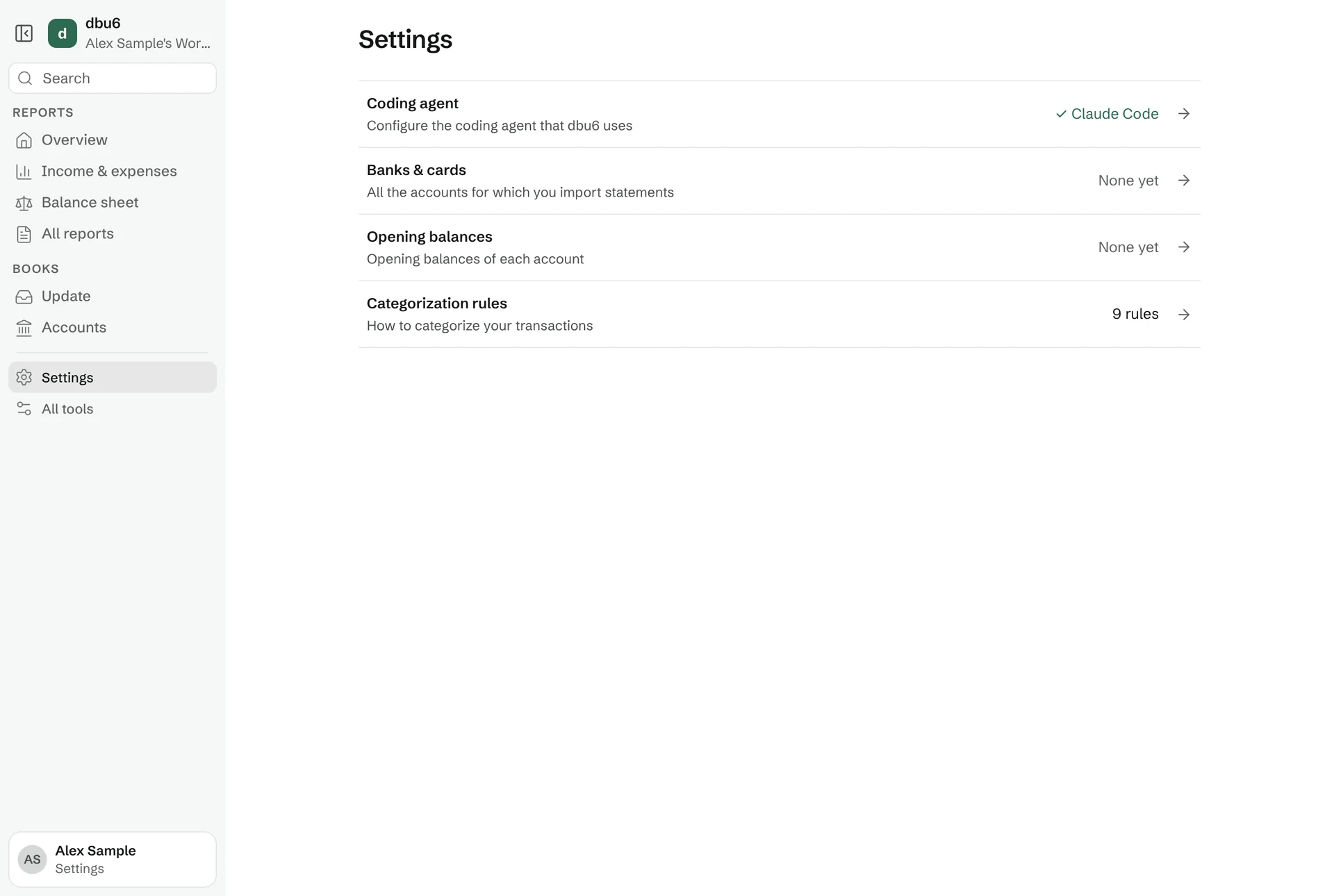
Section titled “Connect the coding agent”Open Settings › Coding agent to see which agent dbu6 found and to switch between them.
When dbu6 passes a prompt to your agent, it also writes an access token for the
agent to .env.agent in your books folder if the folder doesn’t have one that
works, so you don’t need to do anything else.
To create the token yourself, for example to try the agent’s access before you start, run this after you have signed up:
npx dbu6 agent envnpx sapporta api get /api/auth-contextnpx dbu6 agent env writes .env.agent and revokes any tokens dbu6 created
for that account before (if more than one person has signed up in this folder,
name the account with npx dbu6 agent env --user you@example.com). Because
.env.agent is a credential, it is gitignored, and you should never commit or
share it. The second command needs the app running, and prints the user and
workspace the token acts for.
Everyday commands
Section titled “Everyday commands”Run these in your books folder:
| Command | What it does |
|---|---|
npx dbu6 start | Starts the app |
npx dbu6 dev | Starts the app, and restarts it when a file it loads changes (for example your own reports) |
npx dbu6 upgrade | Installs the latest dbu6, migrates the database and runs check |
npx dbu6 check | Reports missing tools and anything an upgrade broke |
npx dbu6 docs | Lists the guides your coding agent follows |
npm start, npm run dev, npm run check and npm run upgrade do the same.
Back up your books
Section titled “Back up your books”Your books are in the data/ folder, and dbu6 makes no other copy. To back
them up, stop dbu6 and copy the whole data/ folder.
Also, user-config/ is beside data/ (not inside it) and holds your
categorization rules and instructions, so it belongs in git.
- Introduction to dbu6, which describes what dbu6 does.
- Set up your books with your coding agent.